2026 May
Global Accessibility Awareness Day
Kia ora and welcome to our Global Accessibility Awareness Day newsletter. GAAD is a chance to celebrate progress, keep learning, and remind us that accessibility is not a nice extra. It is part of creating a world where more people can take part, contribute and belong.
This newsletter brings together a few of the conversations, events and practical tips we have been part of over the past few weeks. Whether you are one of our clients, part of the wider accessibility community, or a disabled person working for change in your own space, thank you for being here. I hope there is something in here that encourages you, gives you a useful idea, or helps spark your next step.
From Chandra and the team

Free Community Digital Accessibility Series
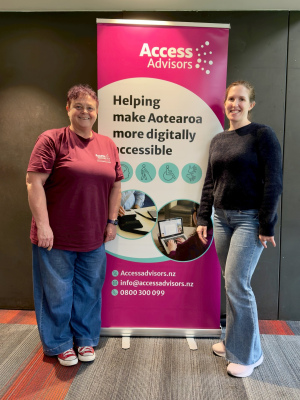 Over the past few weeks we have been running free community digital accessibility training sessions around the motu. We’ve been sharing practical ways to make websites, social media, documents and multimedia more accessible.
The sessions have been designed for community groups, charities, iwi and Pasifika organisations, churches, sports groups and volunteers, with a focus on simple changes people can use straight away.
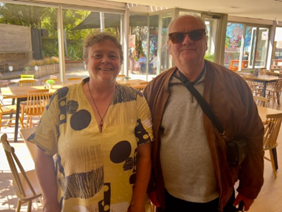
It has been a real highlight connecting with people face to face, and it was especially lovely to catch up with Ciara from InternetNZ in Wellington. We are running the Auckland sessions this week, with the online workshops coming up in early June, so there is still time for community organisations to join in and build their confidence in digital accessibility.
This mahi would not have been possible without the support of [InternetNZ], and we are hugely grateful for their backing.
Some of the feedback from attendees
-
Accessible documents, but it raised my awareness of other things to consider
-
Alt txt - Being able to review the current accessibility of our current website and social media and improve it!
-
Broadening my idea of who has access needs. Lends greater weight to the argument if I am trying to explain to people why this is SO important
-
Insight into tools readily available now and how to implement without causing too much stress, work or financial stress
-
The hands-on examples and clear guidelines were especially useful.
-
The insights, so much learning still to do. The quick wins on plugins we can use to make everything more accessible
-
formating documents
-
Being able to use examples that were relevant to us
-
Breaking down specific accessibility measures required for different access needs

Accessible Futures Summit
BLVNZ release report
Chandra attended the Accessible Futures Summit in Wellington, along with the parliamentary reception that followed. Led by Access Matters Aotearoa, the summit brought together disabled leaders, researchers, government officials and advocates to focus on practical action to improve accessibility across Aotearoa. It was a working event centred on connection, shared learning and identifying concrete steps to help fast-track accessibility over the coming year.
It was also a great chance to meet so many fabulous people from across the disability and accessibility community, all bringing energy, insight and a real commitment to change. A highlight from the evening event was the launch of the Kōrero for Change - Insights and Actions Report. The report brings together key themes from ten areas including education, employment, health, housing, transport, digital services and media. The report is a strong summary of the issues people are facing and the actions needed to build more accessible futures in Aotearoa.
GAAD Event
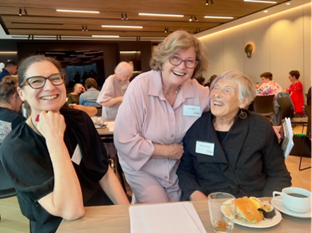
Thursday 21 May 2026 is Global Accessibility Awareness Day (GAAD), and we are marking it by bringing people together to connect, reflect, and talk about what accessibility looks like in everyday professional practice.
Access Advisors and Neil Jarvis Consultants are hosting a free evening event for people working in digital accessibility, UX, and design who want to learn from each other and strengthen accessibility practice across Aotearoa New Zealand.
GAAD is about raising awareness, but it is also about action. This event is an opportunity to explore what a digital accessibility community of practice could look like, and how we can support one another to make the digital world more inclusive.
If you are working in accessibility or are looking to build accessibility more deeply into your practice, we would love you to join us. Reserve your free ticket now.
If you cannot make it on the night but would still like to be involved, you are welcome to join our LinkedIn group and be part of the ongoing conversation. We’ve also got a GAAD blog post for your reading pleasure.
We would like to thank Clear Point for generously providing the venue.
Top tip – Alt text vs. Image Description
During our community training sessions across the motu over the past few weeks, one of the key questions we’ve been asked is about the difference between ‘alt text’ and an image description that is visible to everyone. The short answer is that ‘Alt text’ is mainly for people using screen reader software while a visible image description is in the post itself for everyone.
Alt text is visually hidden information about what is in the image and the context of the image. This information is primarily for screen reader users, for images with information that need explanation that is not included in the main post. Visible image descriptions on the other hand are written in the post for everyone to read but shouldn’t take the place of ‘alt text.’
Our top tip for this is that ‘alt text’ is typically better if you are explaining visual information that is not already included in the main post but is obvious visually. If the image includes extra detail, context, or meaning that all readers should have and can’t get from the image itself a visible image description can help.
Some people choose to use both, and that is completely fine, but don’t just repeat the same information. The best choice depends on what the image shows and what people need to access.
Explore all of our future and past News & Events. Contact us if you'd like us to speak at your event, or would like us to run a webinar.
Thank you for being part of our journey. Let’s keep working together to create a more accessible Aotearoa for everyone.
Copyright © 2025 Access Advisors, All rights reserved.